
Gaming
5 Gaming Office Ideas That Blend Work and Play
On this page
This guide is for anyone who works and games in the same room and wants both uses to feel intentional. You will learn how to divide the desk, hide gaming gear, improve video-call backgrounds, and switch lighting without moving furniture; these gaming office ideas keep the room practical during the day and comfortable after work.
Quick picks: Best for budget: closed accessory storage. Best for small rooms: monitor arm with laptop stand. Best for looks: neutral video-call backdrop.
1. Use a 72 Inch Desk With Two Clear Zones
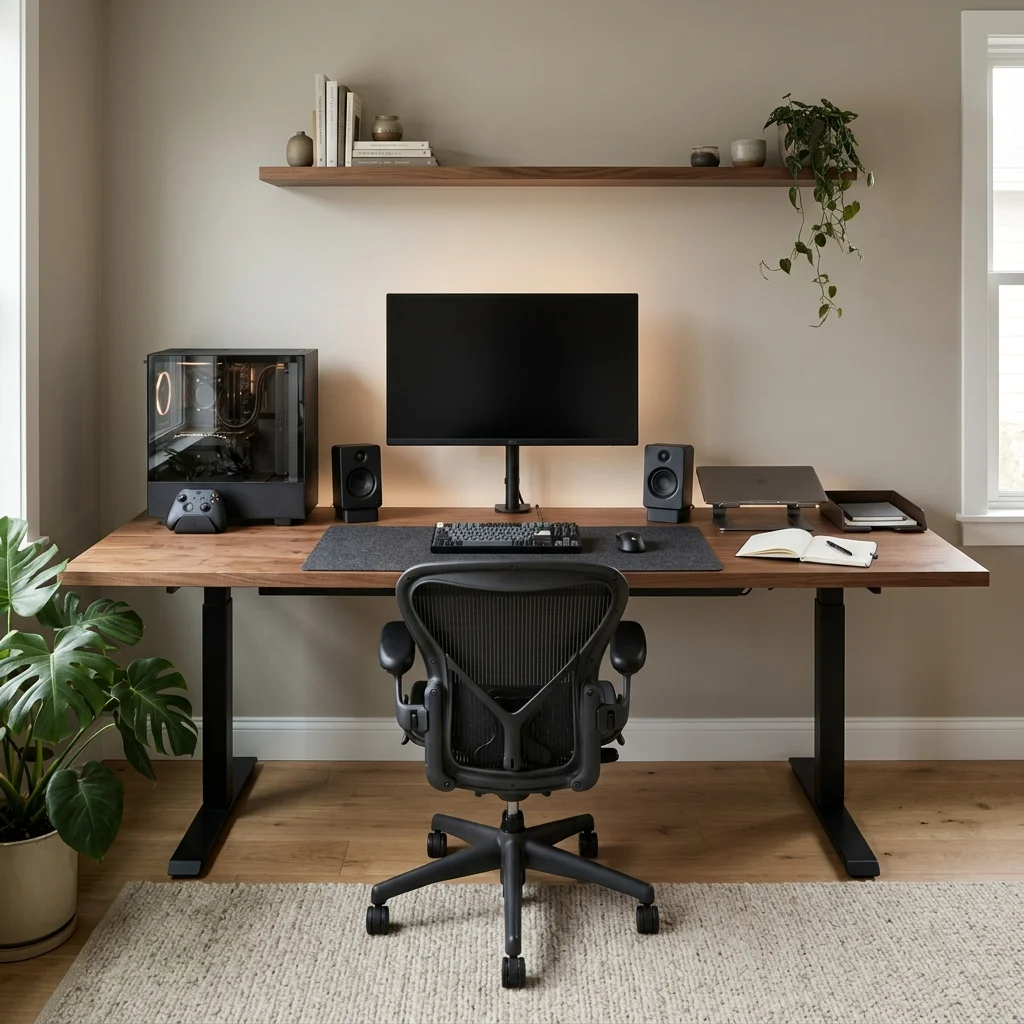
Work and gaming feel easier when the desk has defined areas instead of one mixed pile of gear. Choose a 72 by 30 inch desk top in oak, walnut, or matte laminate.
Keep the central 36 inches for the main monitor, keyboard, and mouse. Reserve 16 to 18 inches on one side for a laptop stand, notebook, or work documents.
Use the opposite rear corner for the PC tower or controller dock. Keep at least 24 inches of clear knee space below the center; the desk changes purpose without needing a full reset.
2. Combine a Monitor Arm With a Vertical Laptop Stand
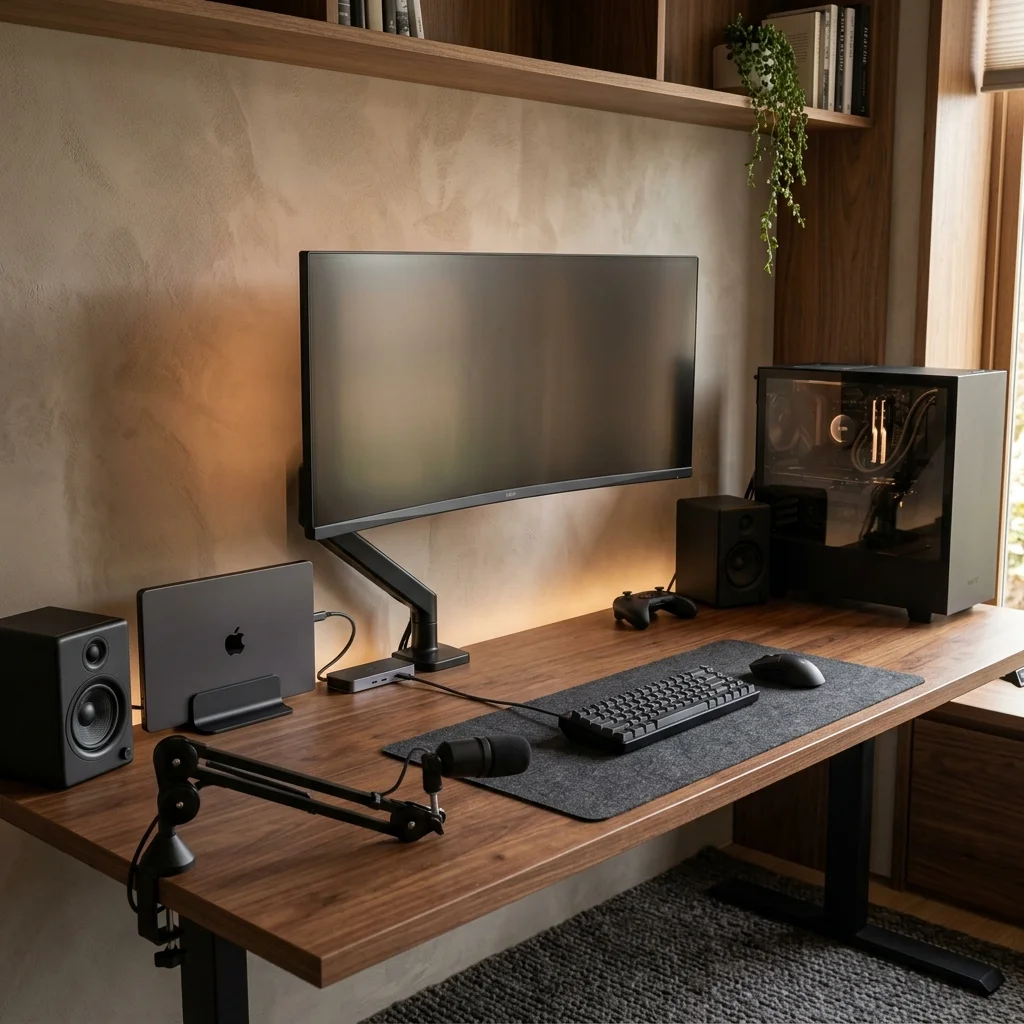
A laptop and large monitor can consume most of a standard desk if both stay on their factory stands. Mount the main display on a single or dual monitor arm at the rear edge.
Place a closed laptop in a vertical stand 4 to 6 inches from the monitor base. Connect the laptop to the display, keyboard, and mouse through one compact dock.
Route the dock cables into the under-desk tray so only one laptop lead remains visible. Keep the stand outside the main speaker path and mouse area; the same screen can handle office work and gaming without crowding the desk.
3. Add Closed Storage for Gaming Gear
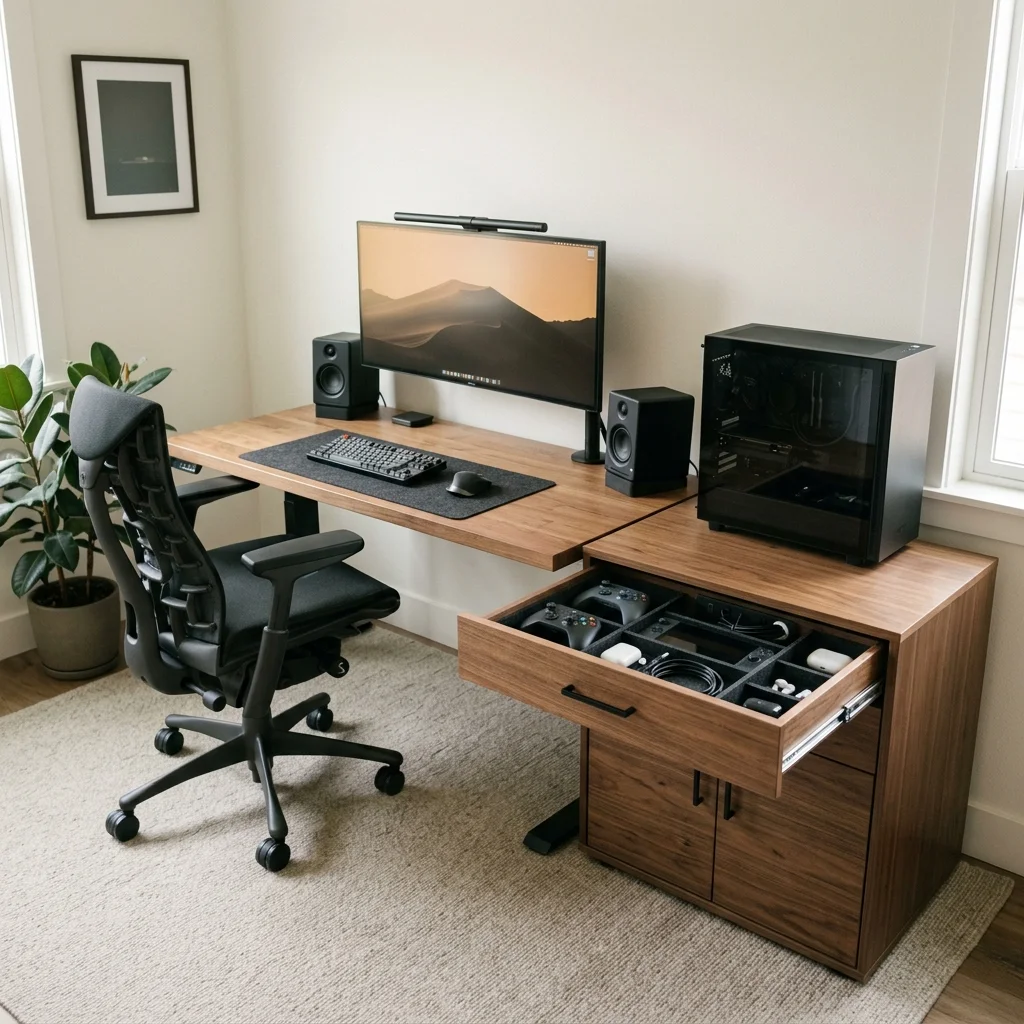
Controllers and headsets make a work desk feel busy when they stay out all day. Place a 30 to 36 inch low drawer unit or closed cabinet beside the desk.
Use one shallow drawer for controllers, charging cables, and handheld devices. Keep spare keyboards, boxes, and larger accessories in the lower section.
Mount a charging strip inside the cabinet if ventilation and cable access allow it. Leave the desktop for items you use during the current work session; the office looks calmer during calls and focused tasks.
4. Create a Neutral Video-Call Wall
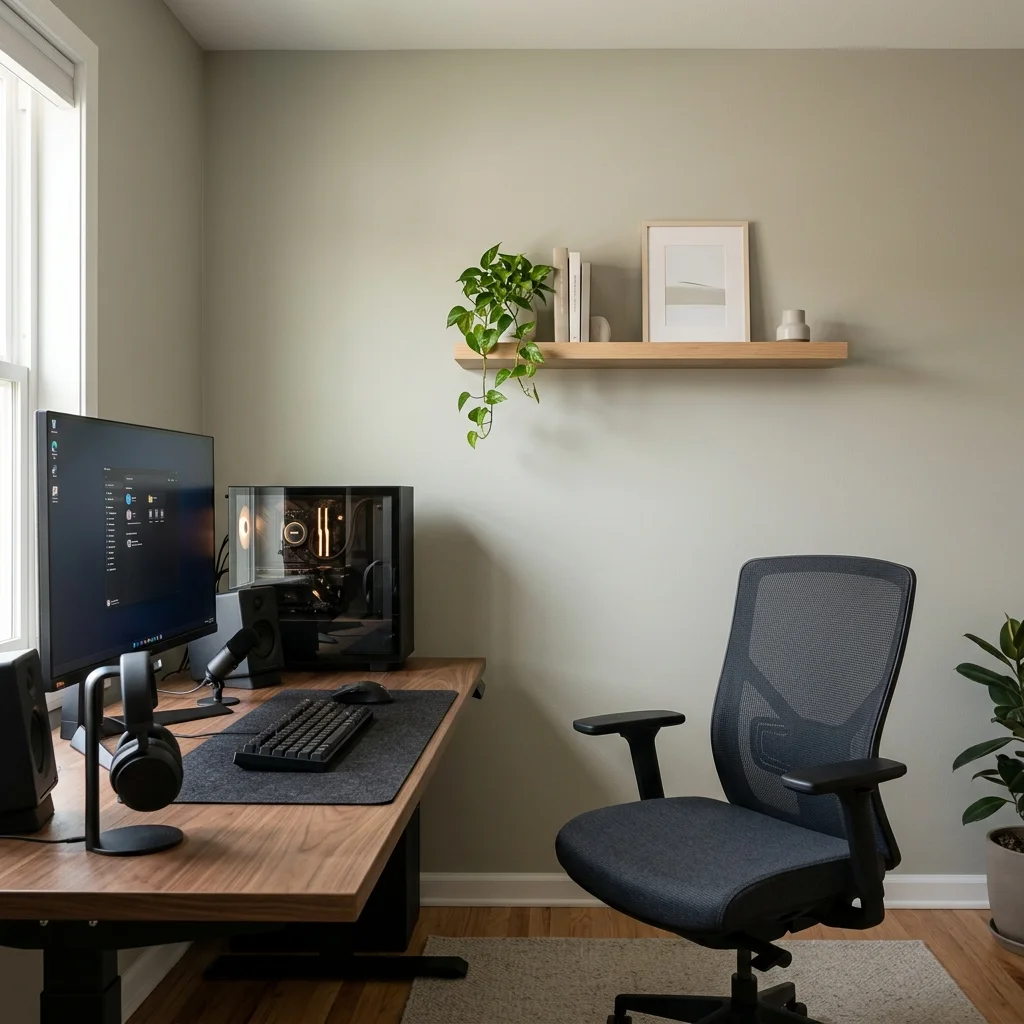
A work background should look finished without turning the room into an office showroom. Paint the wall behind your chair warm white, soft taupe, muted sage, or light grey.
Mount one 36 inch floating shelf at eye level or slightly above. Use three to five items, such as a plant, two books, one framed print, and one small object.
Keep bright collectibles and gaming packaging off the camera-facing wall. Place the chair at least 3 feet from the background if the room allows it; the room reads well on camera and still feels personal after work.
5. Separate Work Light From Gaming Light
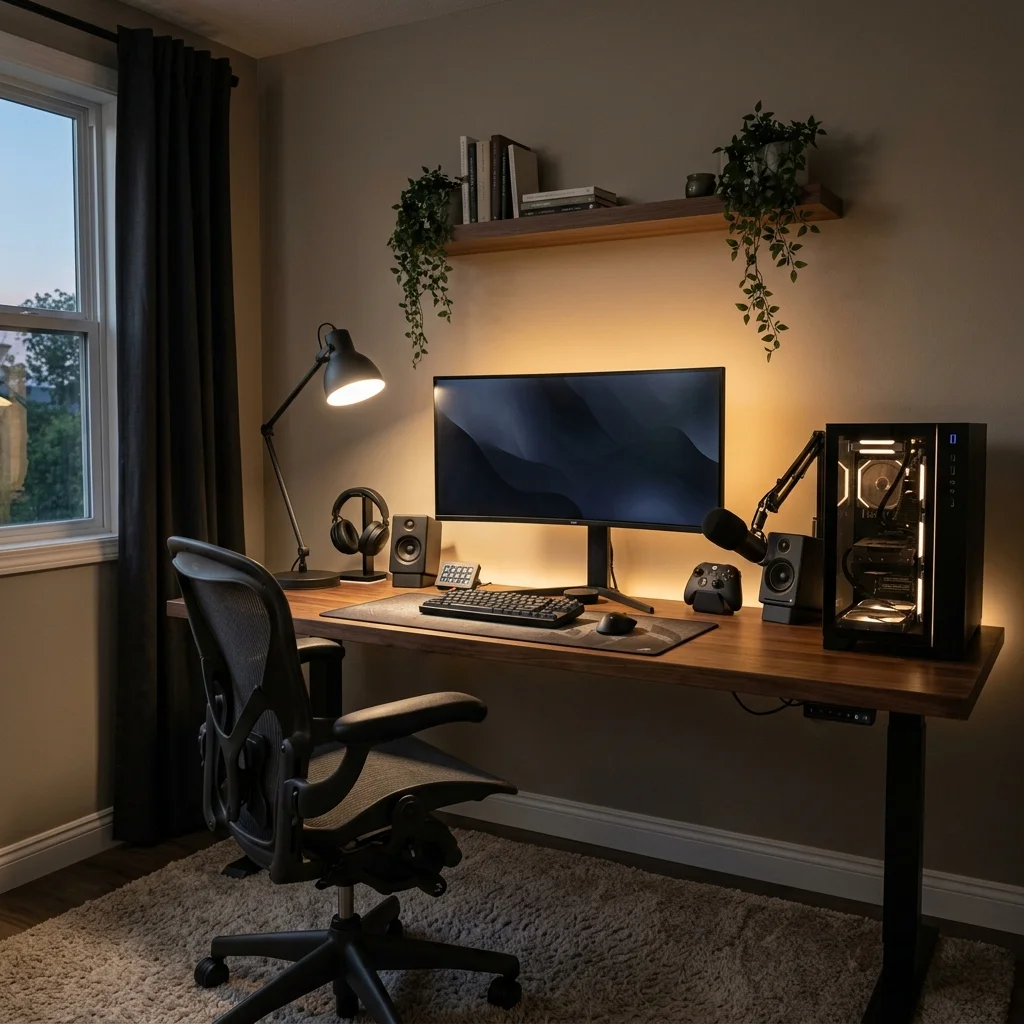
A single lighting setup rarely works for video calls, reading, and evening gaming. Place a 3500K task lamp or soft key light 30 to 45 degrees from your face for work.
Add a separate 2700K bias light behind the monitor for gaming. Put the two lights on separate switches or smart plugs.
Keep the work light bright enough for your face and desk, but aim it away from the screen. Use the warmer rear light after work so the room feels softer without changing the furniture.
The room switches modes with lighting instead of clutter. A good gaming office is mostly about clear zones and easy resets; for more desk organization, use these gaming desk setup ideas, or see our cozy gaming setup ideas if you want the room to feel softer after work.
Frequently asked questions
How do I make one desk work for gaming and office use?
Start with enough depth, then keep the center of the desk neutral and flexible.
Mount the monitor on an arm, use a laptop stand or dock, and give controllers and gaming accessories closed storage so the desk can reset quickly before work.
What size desk is good for a gaming office?
A 66 to 72 inch wide desk with about 30 inches of depth gives enough room for a monitor, laptop, keyboard, speakers, and normal office tasks.
Smaller desks can work if you move storage to the wall.
How should I light a gaming office for video calls?
Use soft front or side light around 3500K for calls and work, then keep warm 2700K bias light behind the monitor for evening gaming.
Separate controls let you change the room without moving lamps.