
Gaming
7 Gaming Desk Setup Ideas for a Clean and Organized Space
On this page
This guide is for anyone whose desk keeps filling up with cables, chargers, controllers, and loose accessories. You will learn how to organize the surface, improve screen placement, and give every piece of gear a fixed home; these gaming desk setup ideas are practical changes you can make without rebuilding the whole room.
Quick picks: Best for budget: under-desk cable tray. Best for small rooms: monitor arm. Best for looks: one-material desk surface.
1. Start With a 60 by 30 Inch Desk Surface
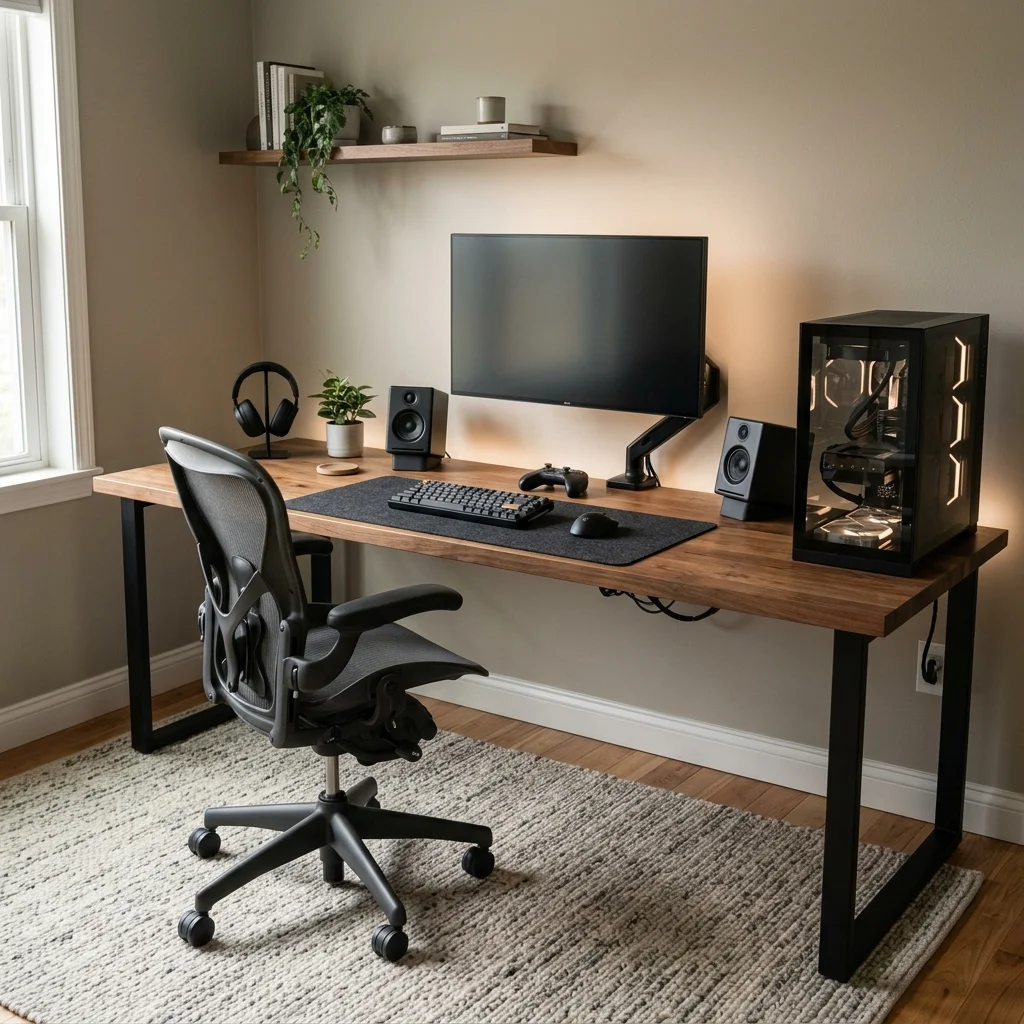
A desk that is too shallow forces the screen and keyboard into the same small zone. Use a 60 by 30 inch top for one large monitor or a compact dual-screen layout.
Choose 1 inch plywood with a hardwood veneer, solid butcher block, or dense laminate. Leave at least 24 inches of clear knee width under the center of the desk.
Keep the PC tower at one end instead of placing it directly behind the monitor. Use the rear 4 inches of depth as a cable and monitor-arm zone; the extra depth makes every later organization step easier.
2. Mount the Monitor on an Adjustable Arm
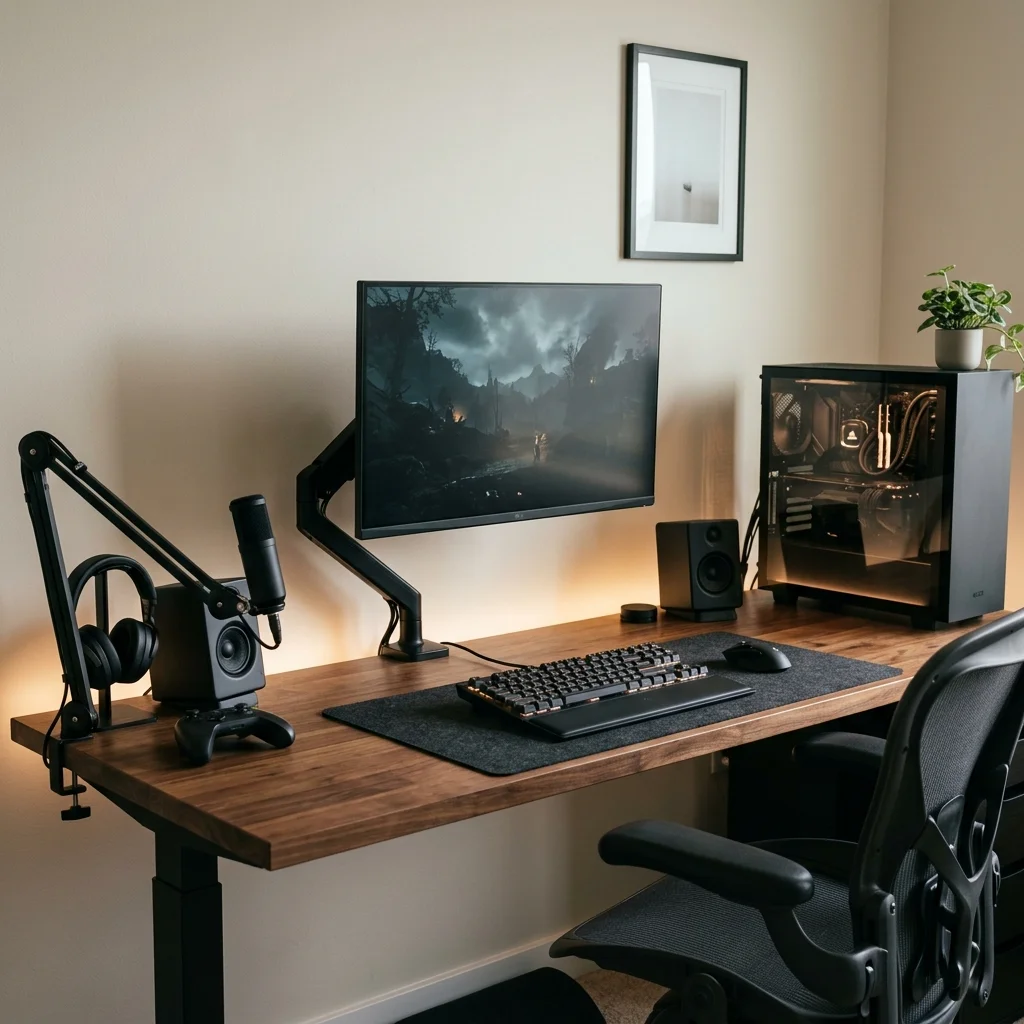
Large monitor stands use valuable desk depth and create awkward spaces for cables. Clamp a gas-spring monitor arm to the rear edge, about 4 to 8 inches off center if needed.
Set the screen so the top third sits near eye level while you are sitting upright. Keep a 27 to 32 inch screen roughly 24 to 30 inches from your eyes.
Route the display and power cables through the arm clips instead of letting them hang freely. Leave enough cable slack for height and tilt adjustments; the desk gains clear space directly under the screen.
3. Install an Under-Desk Cable Tray
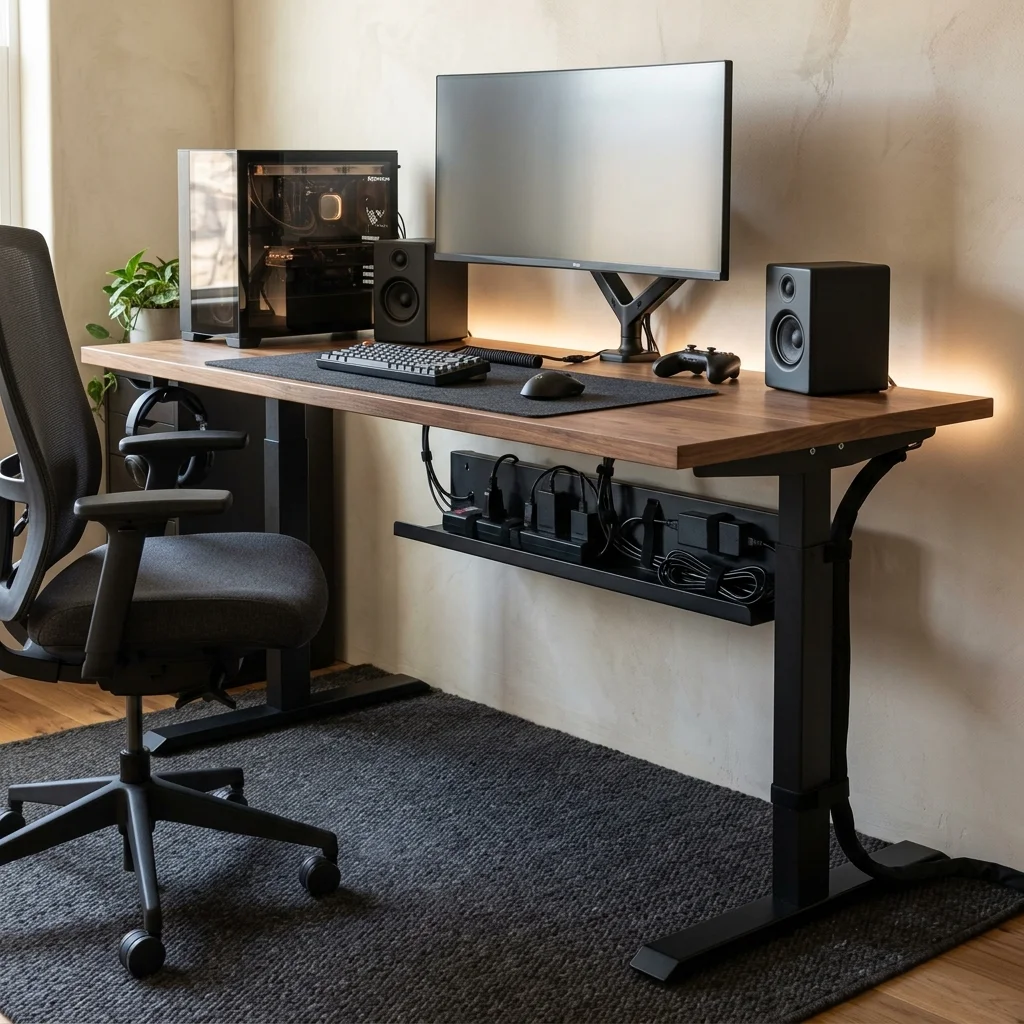
Power bricks and loose extension cords make even a tidy desktop look unfinished. Mount a 36 to 48 inch steel cable tray under the rear third of the desk.
Fix the surge protector inside the tray with screws, brackets, or heavy-duty hook-and-loop tape. Bundle excess cable length with reusable straps, not tight plastic ties.
Route one main power cable down the rear leg inside a matching sleeve. Keep power adapters off the floor so they do not collect dust around your feet; the desk looks cleaner from both the front and side.
4. Use a Single Drawer for Small Accessories
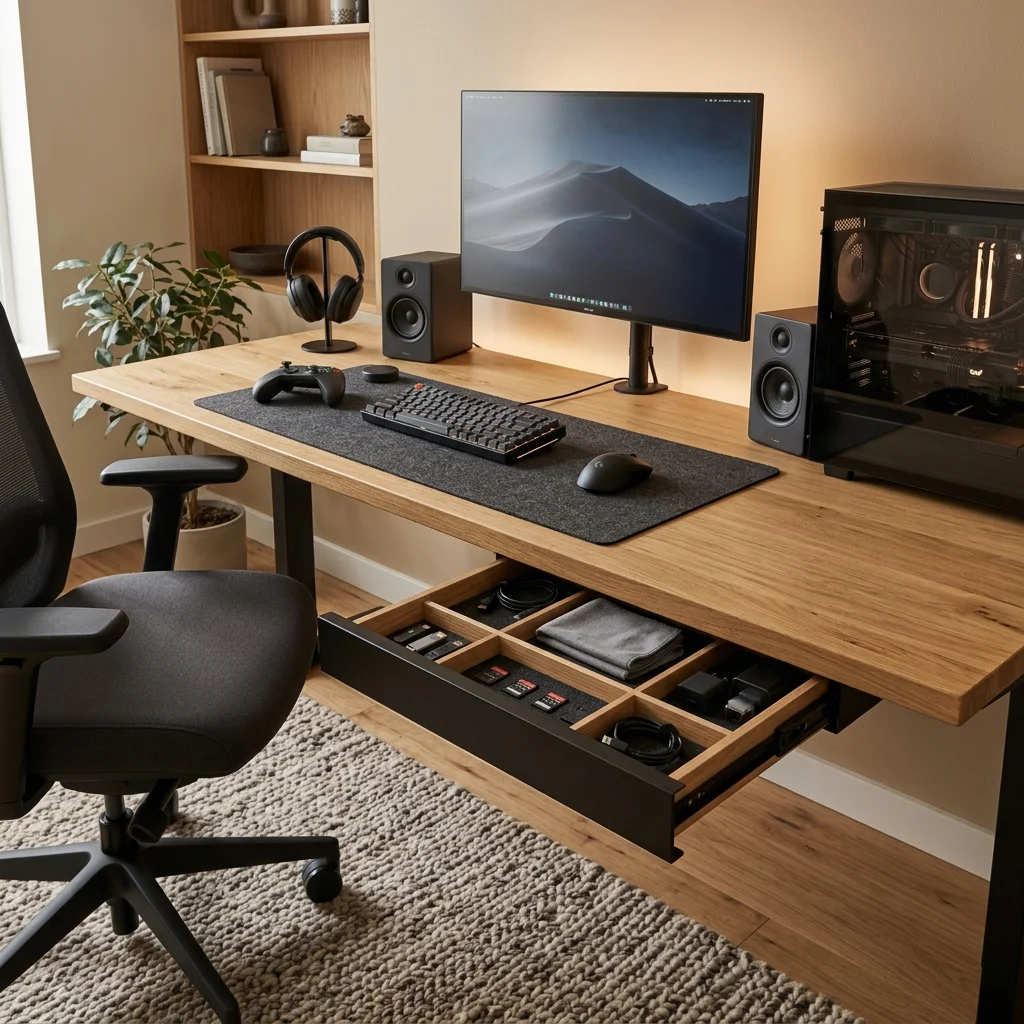
Small gear becomes clutter when every item lives on the desktop. Mount a shallow 15 to 18 inch under-desk drawer on the side opposite your mouse hand.
Use it for USB drives, spare cables, cleaning cloths, memory cards, and charging adapters. Keep the drawer under 3 inches tall so it does not reduce knee space.
Add two or three small dividers rather than filling it with loose objects. Leave controllers and headphones out only if you use them every day; the surface stays open because small items finally have a home.
5. Add a Narrow Pegboard Beside the Monitor
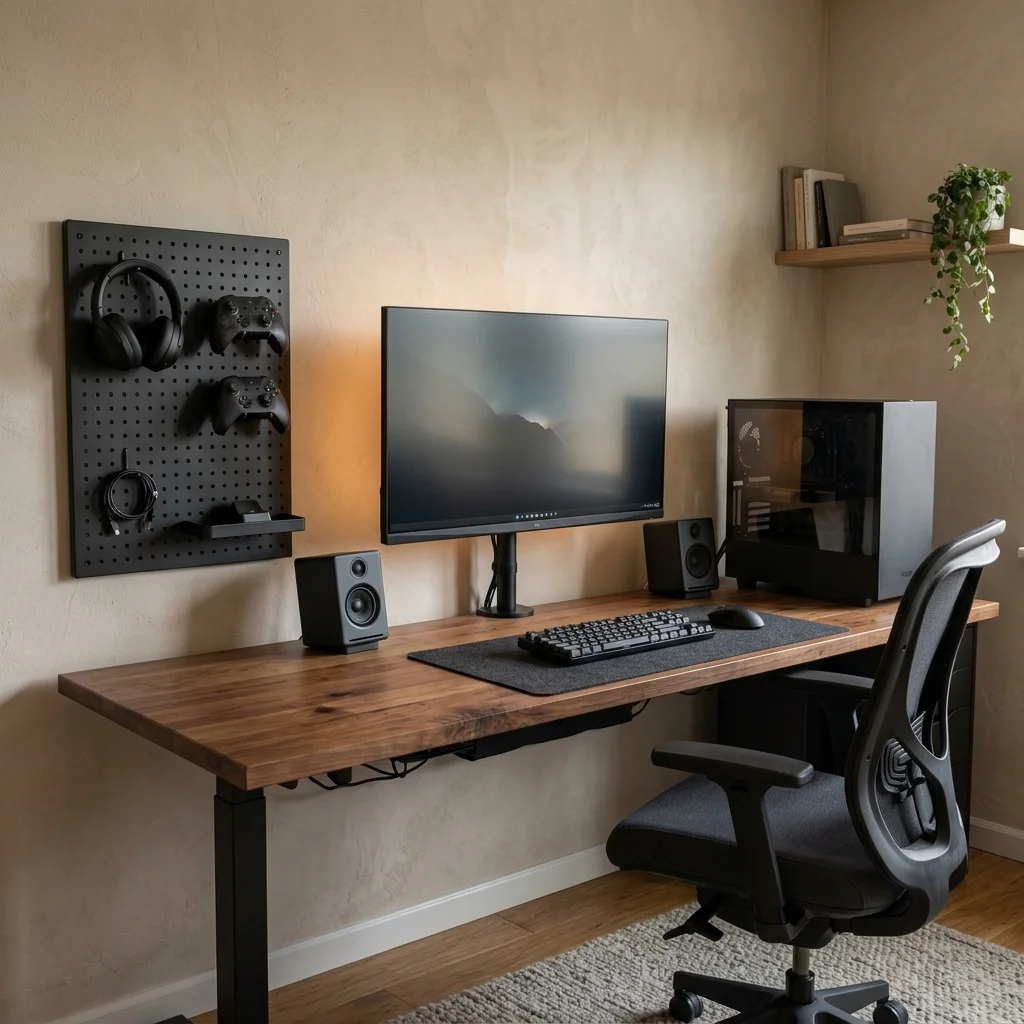
Vertical storage works well when the desk has little free width. Mount a 20 by 28 inch metal or plywood pegboard beside the monitor, not directly above it.
Use hooks for one headset, two controllers, and one short charging cable. Add a 4 inch deep shelf for a small dock or card reader.
Keep the board within arm’s reach while seated, about 8 to 12 inches from the desk edge. Leave open space between items so the board reads as storage, not display clutter; the wall handles gear that would otherwise cover the desk.
6. Build a Fixed Charging Zone
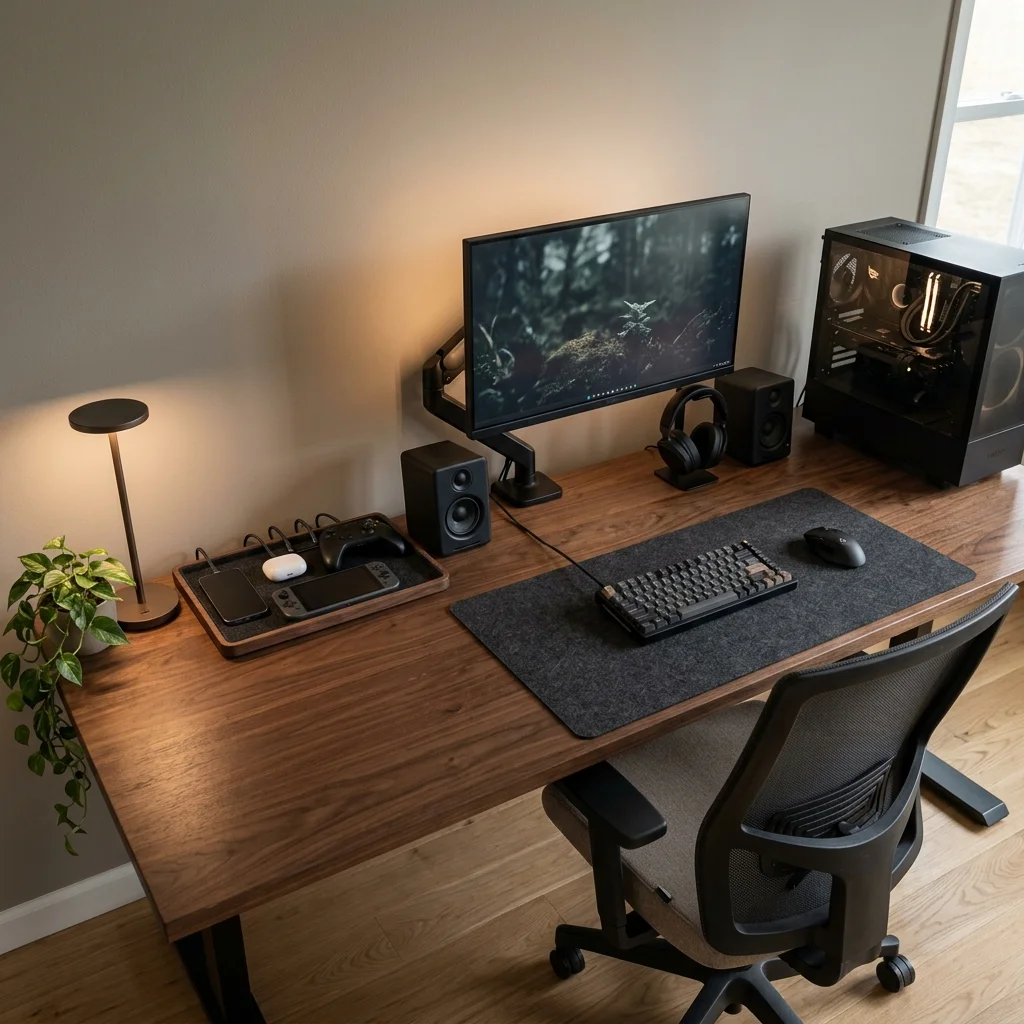
Phones, controllers, earbuds, and handheld devices create cable clutter when they charge in random places. Reserve a 10 to 12 inch section at the back corner of the desk for charging.
Place one low-profile charging dock or tray in that zone. Run all charging leads through one adhesive cable clip fixed behind the desk edge.
Use cables only long enough to reach the device without leaving coils on the surface. Keep the zone outside your main mouse movement area; everything charges in one place and returns there after use.
7. Add One Task Light at the Correct Side
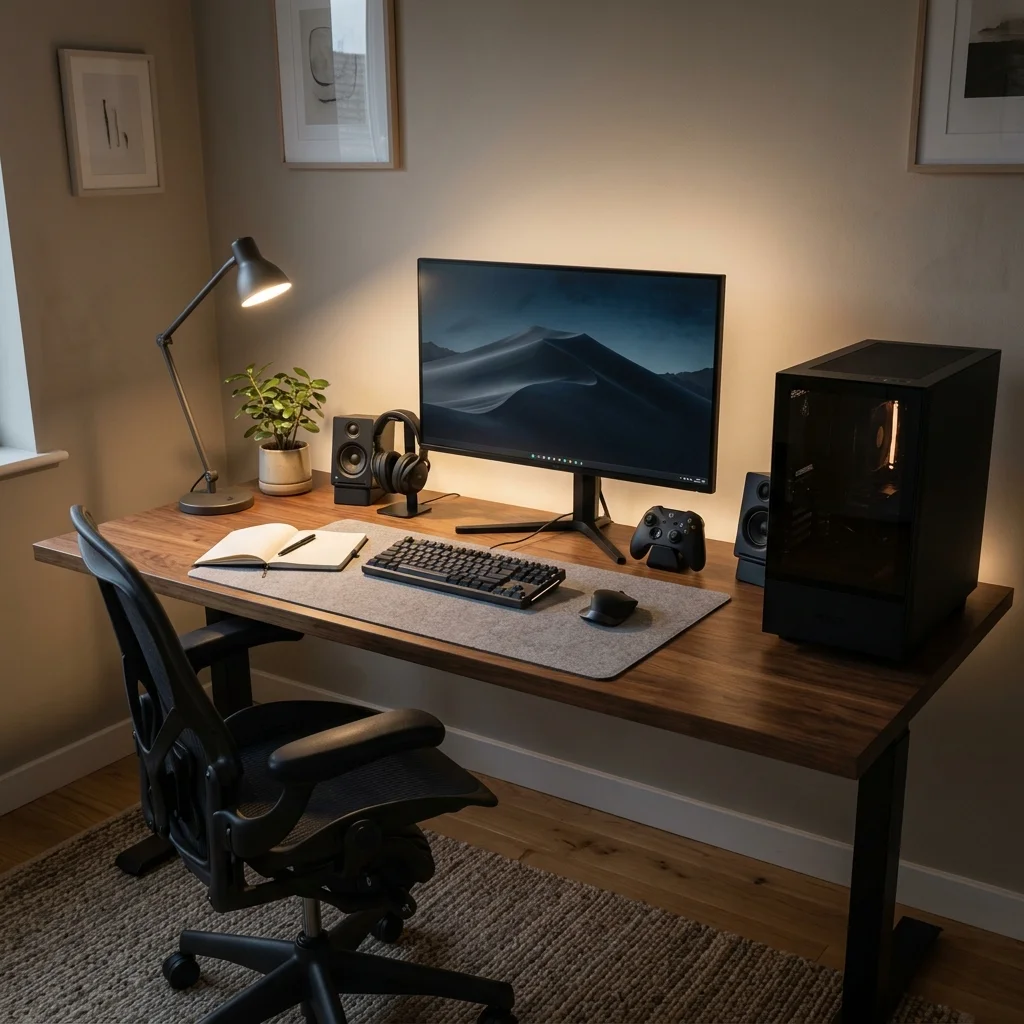
A clean desk still needs enough light for notes, repairs, and late-night work. Use a compact adjustable lamp with a 12 to 18 inch arm.
Place it on the left if you write with your right hand, or on the right if you write with your left. Choose a 3000K to 3500K bulb for a warm but usable task light.
Aim the beam at the desk mat, not at the monitor glass. Keep the lamp base behind the keyboard line so it does not reduce working space.
The desk stays functional without relying on the ceiling light. An organized desk depends more on fixed zones than on buying more storage; for a more polished material palette, see our clean modern gaming setup ideas, or use these black gaming setup ideas for a darker desk direction.
Frequently asked questions
How deep should a gaming desk be?
A depth of 28 to 30 inches works well for many single-monitor and dual-monitor setups.
It gives you room for a keyboard, mouse, forearm support, and a comfortable viewing distance without forcing the screen too close to your face.
What is the easiest way to organize gaming desk cables?
Mount a cable tray under the rear edge of the desk and keep the surge protector inside it.
Run monitor, charging, and audio cables into that tray, then drop only one main power cord down the back leg.
How much desk width do I need for a gaming setup?
A 55 to 60 inch desk is enough for one main monitor, speakers, and normal peripherals.
Dual monitors or a large desktop PC are easier to place on a 66 to 72 inch surface.