
Gaming
7 LED Gaming Room Ideas to Transform Your Setup
On this page
A few random LED strips can make a gaming room look messy instead of impressive. The best LED gaming room ideas use light to define the desk, the wall, or a seating area while keeping the actual equipment easy to use.
These seven setups show different ways to build a room around one strong lighting feature. Each has a clear color direction, practical placement advice, and details you can copy without installing lights everywhere.
Quick picks: Best for budget: monitor backlighting. Best for small rooms: illuminated shelves. Best statement wall: amber-lit wood slats.
1. Make the Monitor Glow the Centerpiece
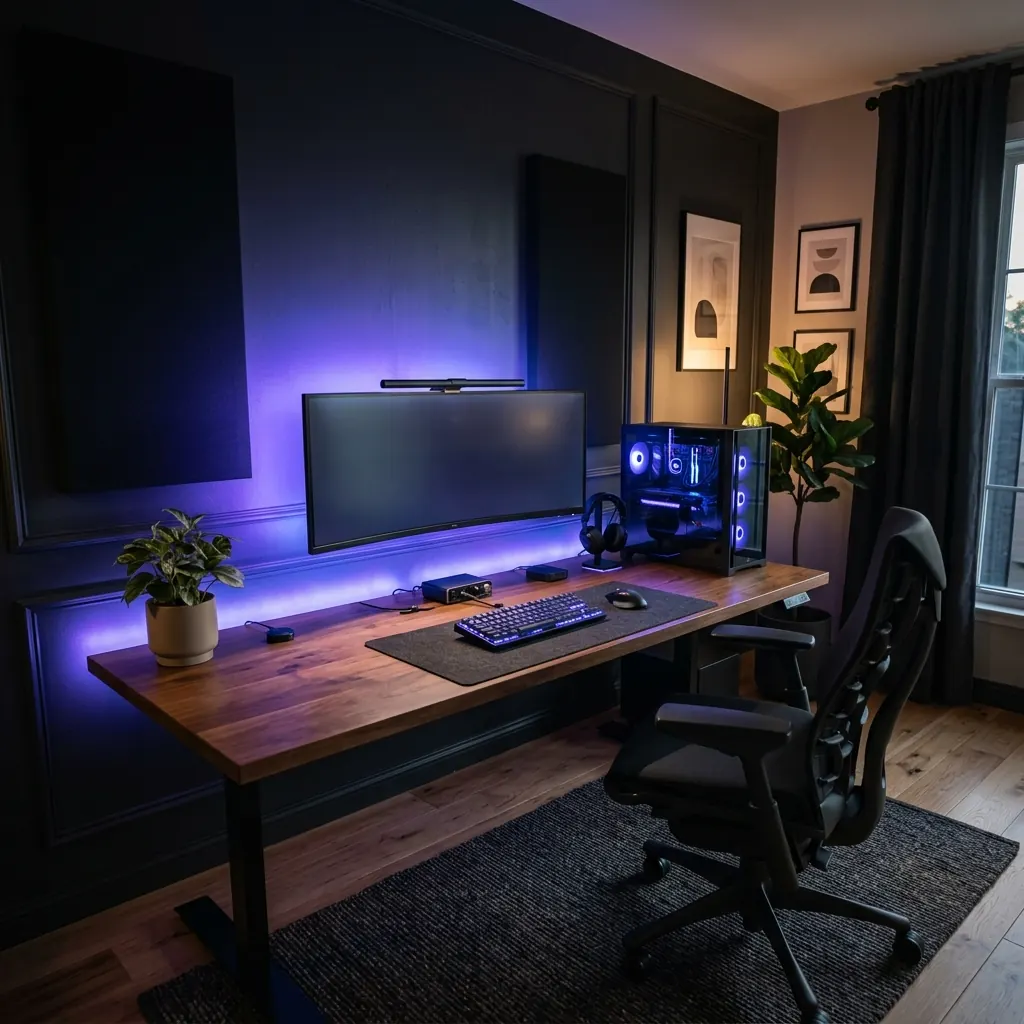
A glowing wall behind the screen instantly gives a simple PC desk more atmosphere. Pair a 27 to 34 inch monitor with a 55 to 63 inch desk against a charcoal, taupe, or soft grey wall.
Mount a diffused LED strip around the rear of the monitor, about 1 to 2 inches inside its outer edge. Choose a gentle violet-blue glow for a dark setup or warm white for a more relaxed room, keeping the LEDs hidden from the seat.
Use a monitor arm to keep the desktop open and guide the lighting cable down the arm with reusable ties. A small plant and a single framed print provide enough texture without competing with the backlit screen.
2. Give the Desk a Floating LED Base
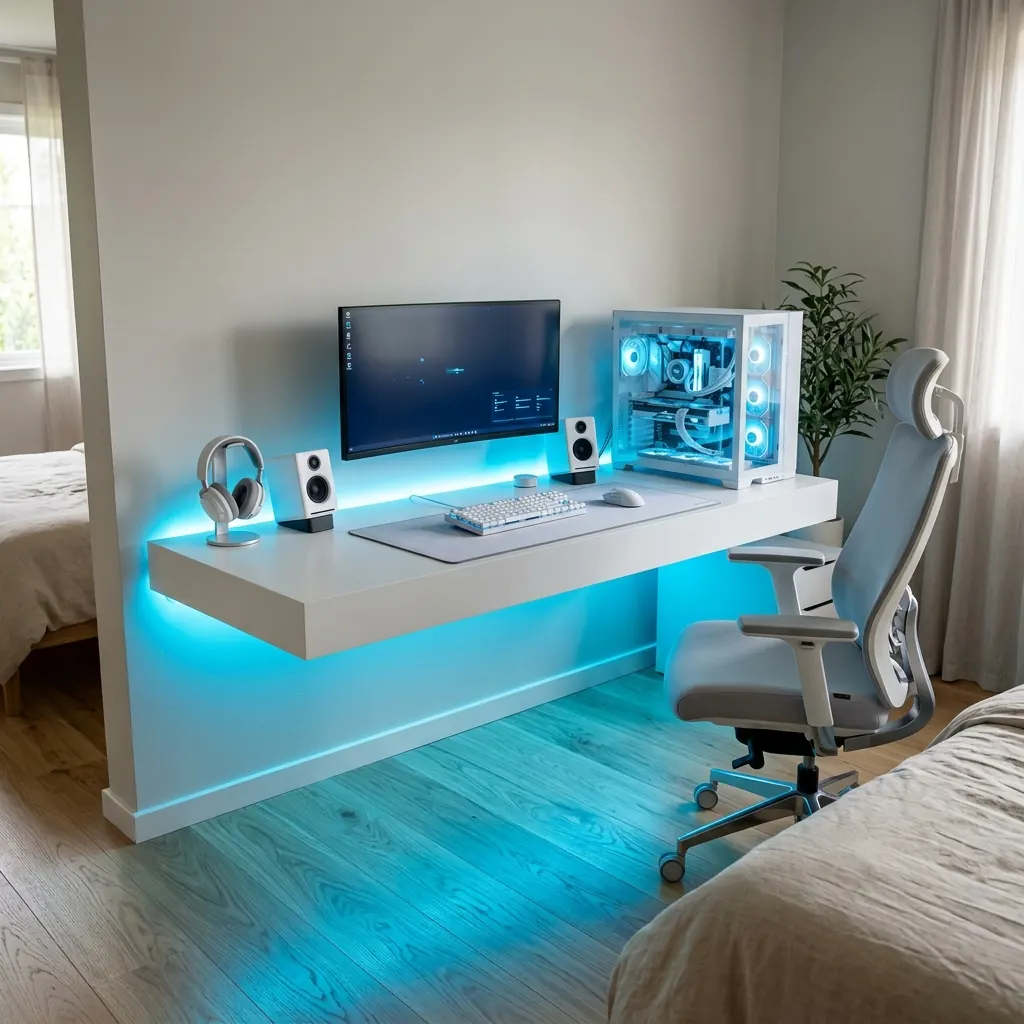
Under-desk lighting can make a bulky workstation appear to hover above the floor. Start with a 48 to 60 inch desk with simple legs, a clean wall behind it, and enough open space for a chair to roll back.
Fit a 3 to 5 foot diffused LED strip beneath the back of the desktop, facing the wall rather than your knees. Ice blue looks sharp with white furniture, while a muted purple strip suits a black desk and a dark rug.
Keep the desk a couple of inches from the wall so the light has somewhere to spread. Put the power lead in an under-desk tray and avoid wrapping bright strips around every exposed edge.
3. Frame the Setup With Tall RGB Light Bars
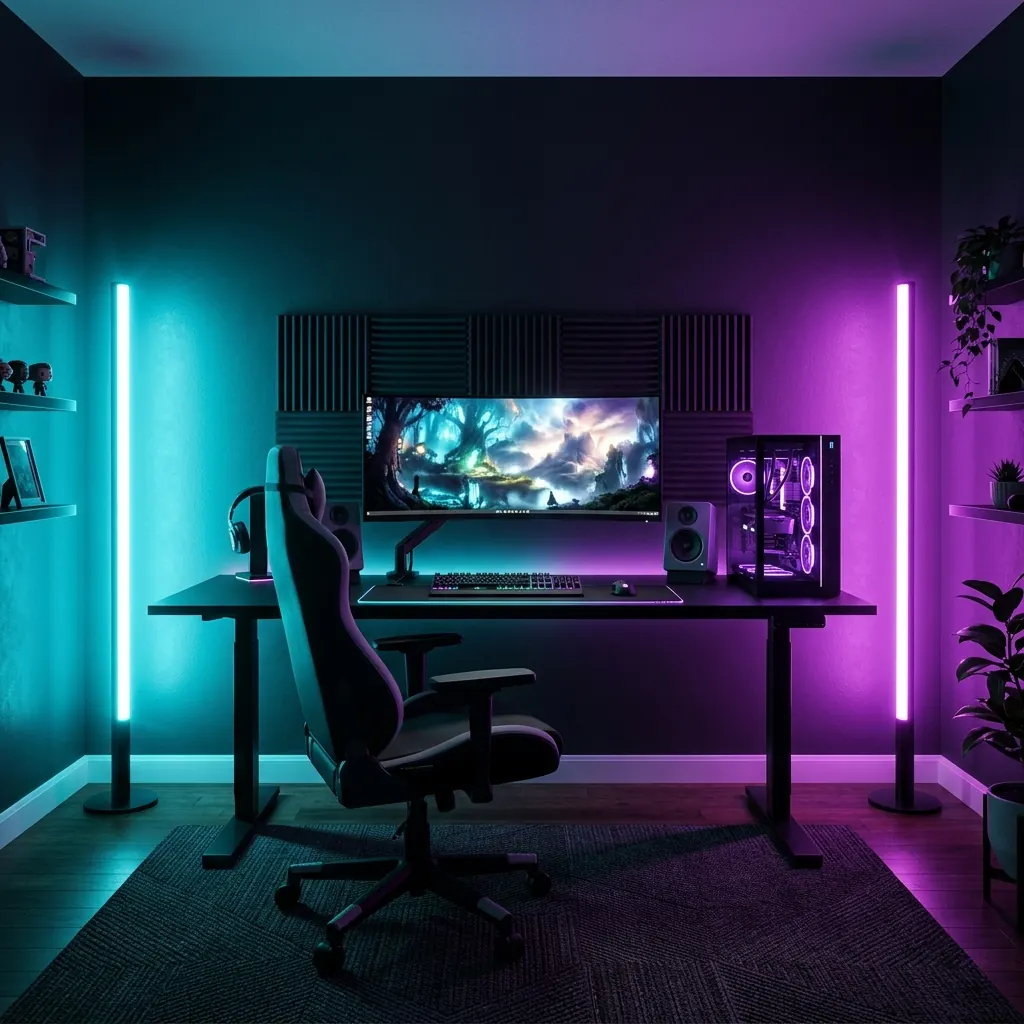
Two upright light bars can turn a plain wall into a colorful backdrop without requiring a permanent installation. They look especially good beside a black PC tower, a wide monitor, and a dark ergonomic chair.
Position one 36 to 48 inch bar near each rear corner of the desk, about 8 to 12 inches from the wall. Set one to low-saturation cyan and the other to violet or magenta, allowing their soft wall washes to overlap behind the screen.
Angle the bars away from the chair so you see the reflected color rather than harsh points of light. Run the cords along the baseboard in a slim paintable channel for a cleaner full-room look.
4. Turn Floating Shelves Into a Lit Display
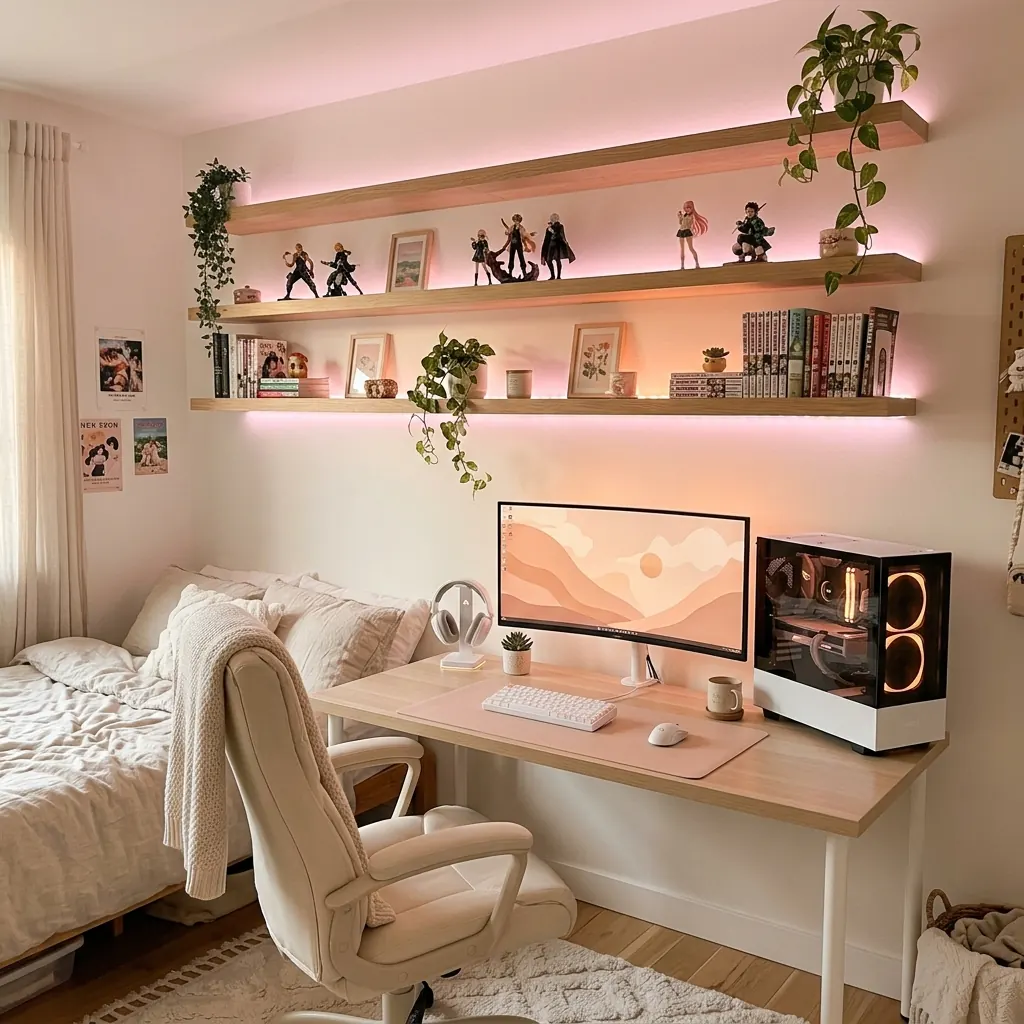
An LED-lit shelf gives collectibles and small plants their own place while drawing the eye upward. This works particularly well in a compact gaming bedroom where the desk already takes most of the available width.
Install a 36 to 48 inch floating shelf roughly 18 to 22 inches above the monitor, then hide a diffused strip beneath its front edge. Soft peach, pale pink, or warm white adds a gentler contrast to a white PC case and light-wood desktop.
Display a few figures, one trailing plant, and two or three favorite games, leaving empty space between groups. Feed the strip cable down the rear corner of the shelf instead of letting it hang beside the monitor.
5. Give a Wood-Slat Wall an Amber LED Halo
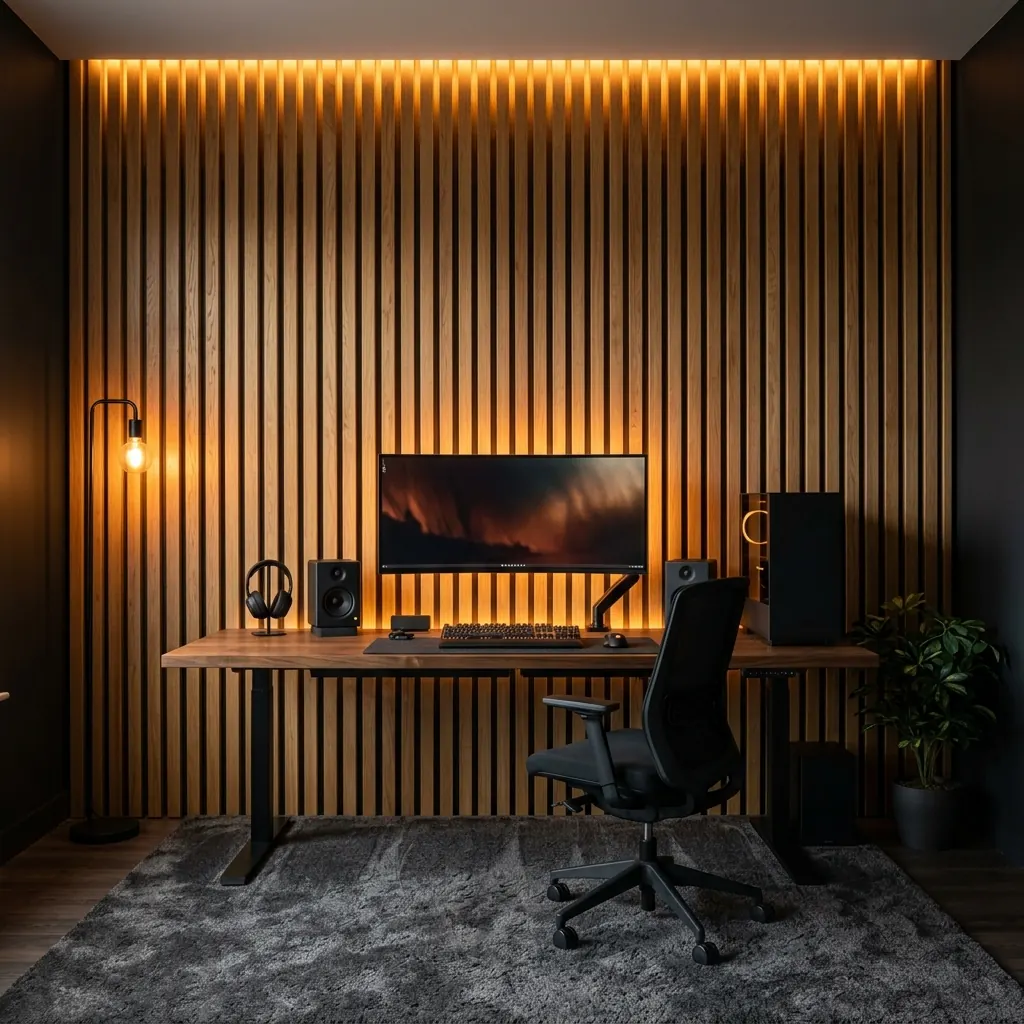
A wood-slat backdrop makes an LED gaming room feel designed rather than decorated with gadgets. Light oak panels, a black desk, and one large monitor create an especially balanced combination.
Mount two or three 24 by 96 inch slat panels behind the desk with their fixings secured as the manufacturer recommends. Hide a warm 2700K LED strip inside a side reveal or behind trim to create a soft vertical amber glow.
Keep the strips out of sight and use matte materials to prevent unwanted screen reflections. Match the warm lighting with a small floor lamp so the room still feels welcoming when the monitor is turned off.
6. Add Teal Underglow to a Console Gaming Lounge
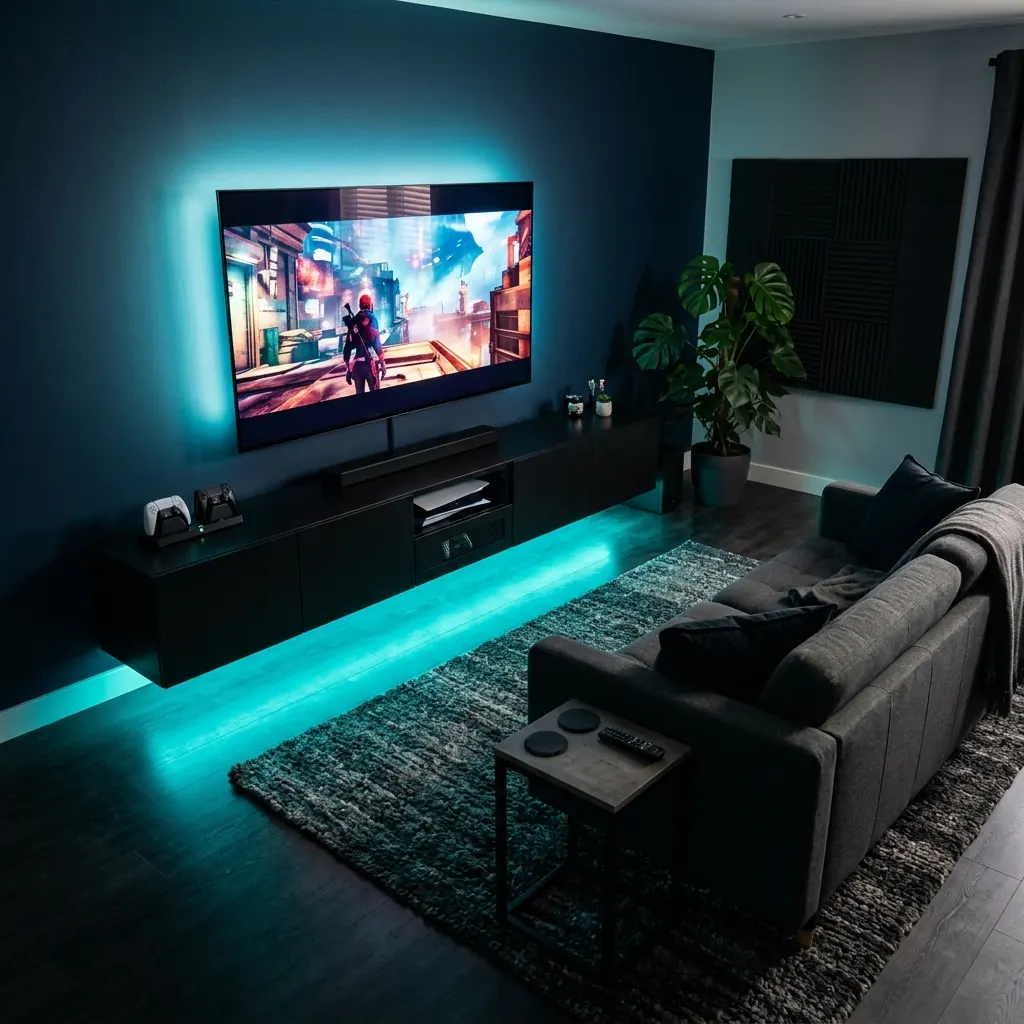
A gaming room does not need a desk to have a strong LED identity. A wall-mounted television, a low console cabinet, and a comfortable two-seat sofa can become a relaxed gaming lounge with the right lighting.
Fit a low-output LED strip to the underside of a 60 to 70 inch media cabinet, set roughly 6 to 10 inches above the floor. Teal against a navy or charcoal wall adds atmosphere, while a separate subtle bias light behind the TV softens the contrast.
Place the sofa at a comfortable distance for reading on-screen menus and keep a small side table close by. Leave the console’s ventilation openings clear and route all power leads behind the cabinet.
7. Switch Between Two LED Scenes for Work and Play
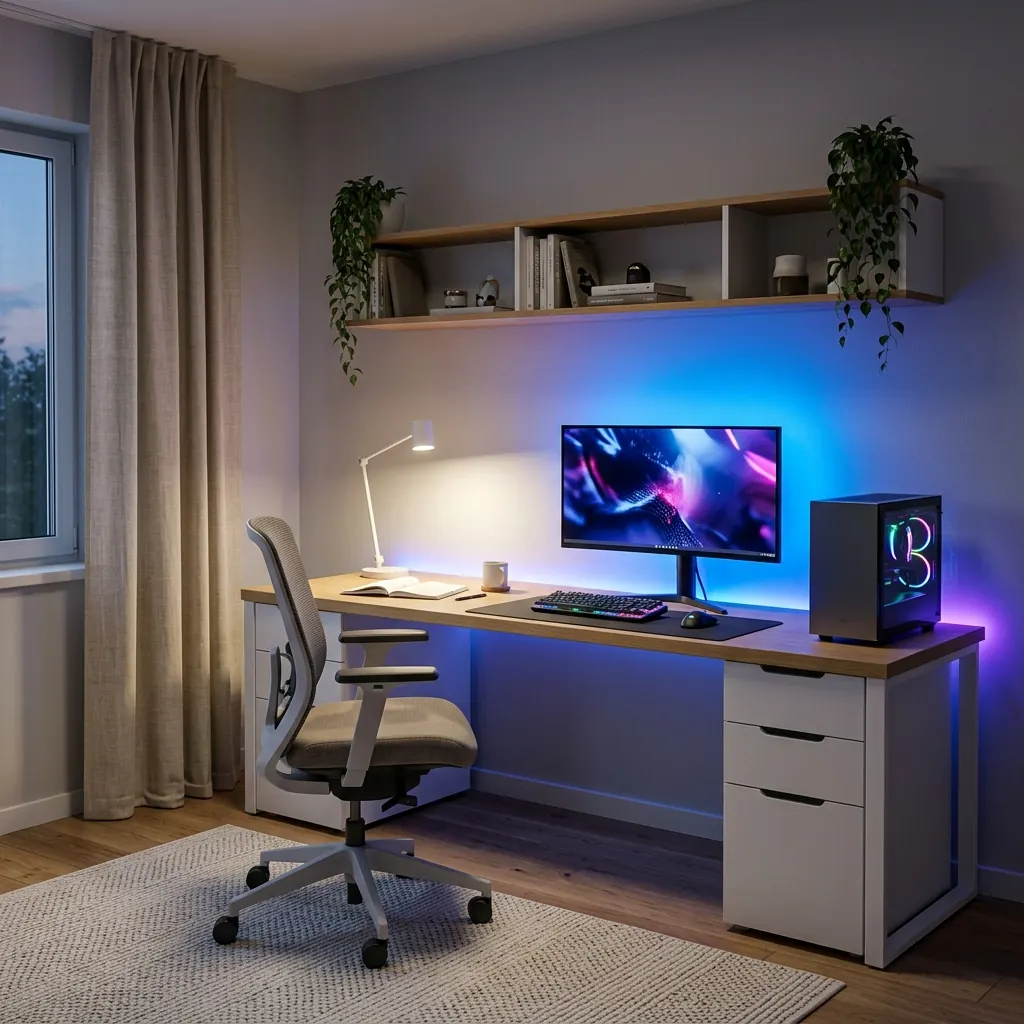
A room used for gaming and work needs more than one lighting mood. Build the setup around a neat 60 inch desk, a neutral task lamp, and RGB backlighting that can change independently.
Put a 3500K to 4000K task light at one side of the desk and a dimmable RGB strip behind the monitor or along the rear wall. Use clear neutral light when working, then turn down the task lamp and switch to a blue-violet wall glow for evening gaming.
Save both combinations as separate scenes if the lights support smart controls, or use two independent switches. Keep the keyboard and writing area readable even when the room is set to its darker gaming mood.
Good LED lighting changes how the whole room feels, not just how the desk looks. Start with one feature you can control, hide the wires, and add another layer only when it improves the space. For more layouts, see these video game room ideas and clean modern gaming setup ideas.
Frequently asked questions
Where should I put LED lights in a gaming room?
Start with one area that changes the whole room, such as the wall behind your monitor, the underside of the desk, or a feature wall.
Add a second layer only if it improves the look or makes the space easier to use.
What LED colors look good in a gaming room?
Violet and blue suit dark PC setups, teal works well in console rooms, and amber makes wood and neutral furniture look warmer.
Pick one main color and one supporting tone instead of using every color at full brightness.
How do I keep LED strip lights from looking cheap?
Choose a diffused COB strip or put a standard strip inside an aluminum channel with a frosted cover.
Position it behind an edge so the wall or floor catches the glow, rather than showing exposed LED dots.
Can I use LED lights in a small gaming bedroom?
Yes.
A short strip behind the monitor, an illuminated floating shelf, or a pair of wall-facing light bars can create a strong effect without using extra floor space.
Choose dimmable lights so the setup stays comfortable at night.
Are LED gaming lights safe around a PC and TV?
Use a correctly rated low-voltage lighting kit and follow its mounting and power-supply instructions.
Keep strips, power supplies, and cables away from exhaust vents, hot components, and places where they may be pinched.